Sharpfolio: Wordpress Portfolio Theme

About

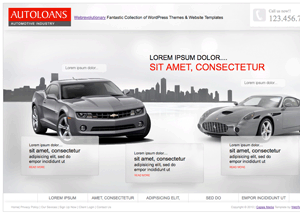
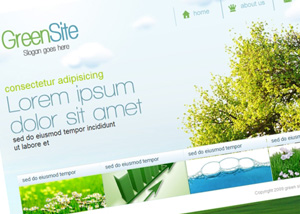
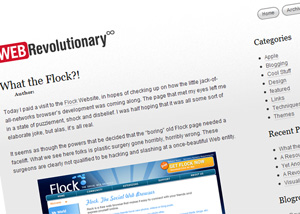
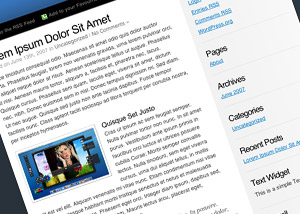
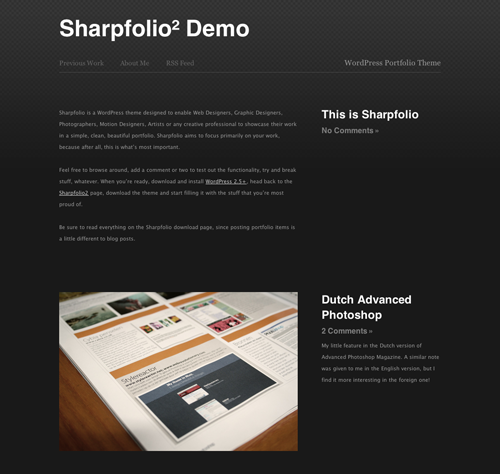
Sharpfolio is a WordPress theme designed to enable Web Designers, Graphic Designers, Photographers, Motion Designers, Artists or any creative professional to showcase their work in a simple, clean, beautiful portfolio. Sharpfolio aims to focus primarily on your work, because after all, this is what’s most important.

Preview
Live Demo

So if you’re not totally convinced yet, have a look at the Live Demo.

Download

Download Sharpfolio

Setup Instructions

After installing Sharpfolio (WordPress 2.5+ is highly recommended), you must go to the Settings page of your WordPress Dashboard, then the Miscellaneous panel. Set the Medium Size to 500px wide and 800px high. This will ensure that the images you post appear nicely in your portfolio.

How to post in Sharpfolio

It’s a little different to posting in a normal blog. I seriously recommend reading these instructions on how to post projects in your portfolio.

License

This work is licensed under a Creative Commons Attribution-Noncommercial 3.0 License. If you like my work, then tell your friends!

Bugs and Suggestions

If you have any issues with the theme, have found a bug or want to abuse me about something, scoot over to the contact page and drop me a line.

Support Future Development

Sharpfolio is released and developed free of charge, but it still takes time and money. If you find it useful, please consider making a small donation.

Stay tuned for updates

Sharpfolio will be continually improved and updated, so make sure to subscribe to the RSS Feed to stay up to date.


111 Responses to “Sharpfolio: Wordpress Portfolio Theme”

  1. Matt:

    Hey guys.
    Just a quick note, I’ve updated the theme to fix the “ugly serif text” bug. Enjoy!

  2. Political Monster:

    The portfolio CMS idea isn’t too tough. Without comments it should be rather easy. Create ‘posts’ under different categories then display them. Thats it, the user then designs the design. Comments make things a little more difficult of course. Other bits like contact info are also easy, just hold it in the database.

    And thats my 2 cents on the idea (I thought it was a good idea),

    -Nick

  3. Matt:

    Hey Nick.
    I actually had a pretty big portion of the foundations of the system done (down to a Google Maps integration, which placed pins at each designer’s location). I’m by no means a good enough PHP coder to continue the project (design is the name of my game).
    If you’d like to discuss it further with me, perhaps you might like to continue the project? You know where to reach me :)

  4. Biscuitrat:

    Much better! My only worry now is the size of the post-date text, and how dark it is. You’ve gotta kinda look out for that when you’re reading the site.

  5. Matt:

    Thanks Biscuitrat!
    I didn’t really think there should be much emphasis on the actual date of the portfolio images. I may have a think about increasing it, but I’m not really sure if it’s completely necessary.

  6. Another Matt:

    Interesting idea, perhaps ought to do something similar with textpattern.

  7. Joram Oudenaarde:

    Hi Matt. Thanks for this simple and slick theme! I’ve seen my share of minimalist-themes with Wordpress, but none of them do what this one does :)

    There’s a little question I have about making a new page though if that’s ok;
    At the moment I have 3 pages: Recent works, About, and a contact page (nice tip btw). But what if I wanted to make one extra page that acts the same as ‘Recent works’? Basically what I mean is having 2 blogpages; one with my recent work, and one that acts as my blog. Could you tell us how to pull that off please?

  8. Mess:

    Nice idea, but i cant post flash objects using your theme, why?

  9. 21 Fresh, Usable and Elegant Wordpress Themes | Smashing Magazine:

    [...] 22. Sharpfolio [...]

  10. Selección de unos cuantos temas para Wordpress « Cosas sencillas:

    [...] Bonus (Updated) 22. Sharpfolio [...]

  11.   21 свежая, практичная и элегантная тема для Wordpress by Блог Голубева Евгения:

    [...] Sharpfolio [...]

  12. 测试 » Blog 存档 » 24款新鲜,易用,优雅的Wordpress主题模板:

    [...] 23. Sharpfolio [...]

  13. TopDig.net » 博客文章 » TOP24:又24款推荐Wordpress主题模板:

    [...] 23. Sharpfolio [...]

  14. lost node » Blog Archive » 21 Fresh, Usable and Elegant Wordpress Themes:

    [...] 22. Sharpfolio [...]

  15. kinkypixel:

    did you ever do the archiving part of this site?

    i think its a very important section thats missing..

    cpouple of tings that i think could make this a perfect template for any portfolio are:

    ability to create duplicated pages that act the same as the main blog… so you can split your portfolio into sections.. ie 3d/ graphics/ web etc etc

    the archive section

    cheers

  16. Open Source Web Design » 21 Fresh, Usable and Elegant Wordpress Themes:

    [...] 22. Sharpfolio [...]

  17. nomad:

    This is an excellent idea and one I think a ton of people have been hunting for. One little question, are you aware the demo is giving an error page?

  18. 21 Fresh, Usable and Elegant Wordpress Themes | Webdesign (css, grafica e altro):

    [...] 22. Sharpfolio [...]

  19. Roman:

    Not wonderful, but good.

  20. Best Wordpress Themes:

    Hey, just wanted to let you know I’ve added Sharpfolio to http://www.bestwpthemes.com, which is a new hand-picked list of the best Wordpress themes from around the web.

    Congratulations!

  21. Tech Flakes » 23 freschi, semplici e stupendi temi per Wordpress:

    [...] 22. Sharpfolio [...]

  22. David P:

    The demo don’t seem to work anymore :(

  23. G:

    the demo is broken.

  24. Ingrid Stamatson:

    Aug 6 2007 and the demo is still not working. I am looking for something for my photo site [http://balkophoto.com] that will not only accomodate regular image portfolios, but also the free WP Header Images I have just completed. I plan on offering the images free for use in WP or any open source CMS - and there the thumbs are 400px and full-sized is 1000px.

  25. Danny:

    There are a couple of sites around the web that are running this theme or variations there-of (in lieu of the non-working demo):
    http://www.antoniociccarone.com/
    http://www.cognitivecreative.com/

    Has anyone tried to get a lightbox effect working with this theme (where images pop forward when clicked and the background greys out)? If so, would you mind passing on the plug-in source?

  26. darren:

    i am using but a modified version at http://www.kinkypixel.co.uk

    can anyone tell me how to get the archieving system to work please

  27. SDK:

    What about RSS?

  28. SDK:

    BTW - this theme is tits!

  29. SDK:

    nevermind…

    feed://url/feed

    doh!

  30. David Bates:

    The live demo is down.

  31. the smu:

    i’m also interested in getting lightbox/slightbox working with this… any news on that yet?

  32. the smu:

    sorry, GREAT theme by the way ;)

  33. Danny:

    I got lightbox working by adding a script to the header.php file. I found the script on the wp.org forums. Don’t have it handy right now.

    I am, however, having trouble getting it to work with safari. I changed a couple of colors and other settings in the stylesheet and now its a mess.

  34. Danny:

    Well, i seem to have fixed my safari issues. I’m sold that i still have IE6 issues though with the footer line crossing through one of my links.

  35. SDK:

    Can’t wait for the new version!

  36. thesmu:

    hey folks - i got lightbox working. it seems the header.php file is missing ths line of code:

    you need to put it right before the tag and then it should work.

  37. thesmu:

    sorry, it dissapeared - take out the * it’s just so it shows..

  38. thesmu:

    hmm
    third time lucky

    no spaces!

  39. thesmu:

    oh for goodness sake…

  40. thesmu:


    put it before the

    tag

  41. thesmu:

    left arrow ? php space wp _ head ( ) ; space ? right arrow

    put it before the closing head tag

  42. thesmu:

    woo hoo! cryptic ;) hope it makes sense…

  43. Best Wordpress themes | KJ's nara:

    [...] Sharpfolio: It’s designed to show off a professional portfolio, but photobloggers should also check out this Wordpress theme. [...]

  44. jameswillisisthebest:

    This is my first post
    just saying HI

  45. Ehab:

    Hey !

    Great theme - this and cold blue as well.

    This theme’s live demo got db issues. check it out

  46. lokimikoj:

    Hi

    great job!!!

  47. NicholeToms.com » Useful Websites:

    [...] Wordpress Info: blogHelper Using Wordpress as CMS Using Wordpress for a portfolio website Sharpfolio [...]

  48. Free Wordpress Themes - Page 6 - Graphic Design Forum and Web Design Forum:

    [...] stuffthe hexed v.1.0final wordpress theme. a modified contaminated theme with a scent of Matt`s Sharpfolio theme. Demo here|Download here Author: [...]

  49. imagensmix.com » Blog Archive » WordPress Temas ( Os 21 temas mais legais da Web para download ):

    [...] 22. Sharpfolio [...]

  50. Manu:

    thanxx a lot thesmu that worked !! Lightbox is now enabled !! :)
    It was a bit tricky to understand :)

  51. Douglas Radburn » Blog Archive » Redesign:

    [...] a bit of investigating (i typed “wordpress portfolio theme” into google) and found this Sharpfolio. I think I’ll move my site into that. There are a couple of problems that I’ve been [...]

  52. 阿杜在线 » Blog Archive » 24款优雅的Wordpress主题模板:

    [...] 23. Sharpfolio [...]

  53.   21 Cool and Beautiful Wordpress Themes by techigeek | technology news and internet news:

    [...] 22. Sharpfolio [...]

  54. Guy:

    Loving this, looks great and works very well. Are you still thinking of adding archiving etc?

  55. Anto:

    Demo is fucked.

  56. casn:

    waiting for the comment and archive support. hope to see it soon.

    like your style.

  57. 23 freschi, semplici e stupendi temi per Wordpress : technorati.it:

    [...] 22. Sharpfolio [...]

  58. How to set up a simple professional portfolio site/blog in about four hours | Stefan Lewandowski:

    [...] I wanted to give Jan something that was quite personal to her, so I found a good starting point using Google: a theme called Sharpfolio. [...]

  59. The best of Wordpress themes you haven’t seen:

    [...] 19. PinkLove 3 Columns | Preview 20. Deliciously Blue | Preview 21. Minnyx 2.0 | Preview 22. Sharpflio | Preview 23. Dark Theme | Preview 24. Digital Pop Theme | Preview 25. New Order Theme | [...]

  60. Katie:

    Hi,

    Is there a way for me to add comments with the sharpfolio layout? I played around with it last night but can’t quite figure it out. I’d love for visitors to be able to post comments to the blog. Thanks.

  61. 100 Excellent Free WordPress Themes | Developer's Toolbox | Smashing Magazine:

    [...] Sharpfolio [...]

  62. 100个优秀的免费 WordPress 主题 | 煎蛋:

    [...] Sharpfolio [...]

  63. 100 Free WordPress Themes, Wordpress Themes, SEO Wordpress themes, 3 columns Wordpress themes, AdSense Ready, Adsense Ready Wordpress themes,New Wordpress themes, Widget ready wordpress themes, Free Wordpress themes, photoblog ready wordpress themese, vid:

    [...] Sharpfolio [...]

  64. 100 Free Premium Wordpress Themes - BlueVerse:

    [...] Sharpfolio [...]

  65. DavePress » links for 2008-01-12:

    [...] Sharpfolio: Wordpress Portfolio Theme — WebRevolutionary Nice wordpress theme (tags: wordpress theme) [...]

  66. 100个优秀的免费 WordPress 主题–Labfan-Just for Learning AB Fan!:

    [...] Sharpfolio [...]

  67. 100 superbi temi per Wordpress [gratis]:

    [...] Sharpfolio [...]

  68. Dave:

    the live demo link doesn’t work, and your contact page goes to a 404 error… so, i’ll download and test the theme with caution.

  69. | WordPress Studios:

    [...] in need of a solid portfolio site based on WordPress you might want to check out Sharpfolio by Web Revolutionary. It’s a very stark, dark gray theme, simple in layout and execution. No fuss, no muss. [...]

  70. MrFixit:

    FYI, the demo doesn’t work…

  71. N多个wordpress模板 : 转角»爱:

    [...] Sharpfolio [...]

  72. Erick Mastack:

    I had a little trouble at first but it seems to work ok.

  73. 电子商务观察 » Blog Archive » 100个免费 WordPress 主题(精品):

    [...] Sharpfolio [...]

  74. 100个精挑细选的免费WordPress主题推荐 - 菠菜博:

    [...] Sharpfolio [...]

  75. 100个精挑细选的免费WordPress主题推荐 - 菠菜博:

    [...] Sharpfolio [...]

  76. JFd:

    Hi there. I just wanted to let you know that I love the Sharpfolio theme. I’ve tweaked it to fit my website and added a bit more to it, but without this simple theme, I would probably have ended up with some boring old default. Thanks for making it! Always appreciated. :)

  77. 100 Excellent Free WordPress Themes | Chloee:

    [...] Sharpfolio [...]

  78.   100个精挑细选的免费WordPress主题推荐 by Endlessnet personal blog:

    [...] Sharpfolio [...]

  79. wpSnap - Best WordPress Themes, Blogging Tips, Design Resources » Sharpfolio:

    [...] Links: Demo | Theme URI [...]

  80. gareth:

    Hi Matt

    Have searched the net but can’t find out how, how do you activate the comments and posts within your thmeme as its a great design but I need these elements activate, any ideas would be great.
    cheers
    gareth

  81. 南阳大路 » Blog Archive » 一百个免费的优秀WordPress主题:

    [...] Sharpfolio [...]

  82. themes originales para wordpress, temas especiales para wordpress | El caparazón:

    [...] Sharpfolio wordpress theme [...]

  83. cody redmon:

    Demo link appears to be down…
    Dig the template, though. Thanks for making it available.

  84. Miguel:

    Thank you so much for this theme!

  85. leocheng推荐的100个精选WordPress免费模板 | leocheng™ 博客:

    [...] Sharpfolio [...]

  86. gonz:

    great theme! i’ll start to use it on my site.
    thanks!

  87. xms01:

    how can i add my logo next to the company title??

  88. 几款很漂亮的WordPress模板:

    [...] Sharpfolio [...]

  89. 100 Excellent Free WordPress Themes | PaulSpoerry.com:

    [...] Sharpfolio [...]

  90. Andrew:

    Beautiful theme. Thank you for your work.

  91. 100个优秀的免费WordPress主题 | 风声边界:

    [...] Sharpfolio [...]

  92. guru:

    the live demo link is broken,…. just an FYI

  93. b.art:

    hey,
    the link to the demo has no content.
    When will it be back up? I’m really interested in seeing it.

  94. WebRevolutionary∞ » Brand New: Sharpfolio 2!:

    [...] just rolled out a massive update to Sharpfolio, my WordPress Portfolio Theme. There’s a heap of new features, including things that many of [...]

  95. WPCandy » Sharpfolio² WordPress Theme:

    [...] about the redesign, I mentioned one of the two WordPress themes WebRevolutionary is famous for, Sharpfolio. Well speak of the devil, because Matt has just released Sharpfolio², a redesign of the first [...]

  96. Wp Wordpress » Blog Archive » Sharpfolio² WordPress Theme:

    [...] about the redesign, I mentioned one of the two WordPress themes WebRevolutionary is famous for, Sharpfolio. Well speak of the devil, because Matt has just released Sharpfolio², a redesign of the first [...]

  97. Sharpfolio: WordPress Portfolio Theme pour les designers et artistes:

    [...] Sharpfolio est un thème développé par Matt Lenz de WebRevolutionary et qui vient de sortir en version 2. Il a été développé pour répondre aux besoins des designers et artistes de tout genre (Web Designers, Graphic Designers, Photographers, Motion Designers) désirant mettre en ligne leurs portfolios et présenter leur travaux au grand public. [...]

  98. Jaboo — Sharpfolio² - Wordpress Theme:

    [...] eerst uitzoeken hoe het allemaal eruit ziet? Kijk dan snel hier, voor meer informatie ga je naar de Sharpfolio pagina. Wordpress 2.5 is sterk aangeraden voor deze theme.     Reacties Er is [...]

  99. Chris:

    Great wordpress theme! It made my list of Themes That Don’t Suck! Check it out http://www.themesthatdontsuck.com

  100. Three Brilliant Designers Using Sharpfolio | WebRevolutionary:

    [...] been stunned by some of the design that’s being showcased using the brand new Sharpfolio theme, and today I’ve uncovered three wonderful designers who’ve chosen to use it to present [...]

  101. Jason:

    I’m having two issues:

    1. When inserting the image into the post, it won’t force the image to the 500 pixel width. I have to do it manually.

    2. The ‘description’ custom tag won’t take. I enter the info, it shows up, but after saving the post, it doesn’t appear in the control panel or in the post.

  102. Nick:

    Great theme, it’s minimal enough to work well. Would be nice to have thumbnails in the archives, quite a useful feature for photographers. Would this be a large task?

  103. One Winged Angel Studio » Selected Wordpress Themes For April 13, 2008:

    [...] Wordpress theme specialized for portfolio sites. Check out the release page on author’s [...]

  104. raincontreras.com · one pinoy pundit points and shoots:

    [...] already made customizations to the Sharpfolio theme, but some parts of the site still need work. And yes, I’m not using the theme as intended for [...]

  105. joe:

    I dont think date should be a big thing. A portfolio should never be dated. Thats why this is a portfolio not a blog. I am in the process of downloading this and testing it out. But i hate ignorant people that come here to leech and say something of no merit

  106. Julio Noguera:

    Thanks for this theme, I am using it in my site, take a look!!!

  107. Conor:

    Great theme! It’s simple and exactly what I was looking for. The archives page was a little iffy, but I just edited it to do the same as the main index template to keep it minimal. Works perfect now.

    Thanks again!

    http://conorandthepurplecrayon.com/

  108. Too Quiet Around Here | Geoff Manning: Technology, New Media and Miscellanea:

    [...] am helping out a friend launch her photography website. The site is Wordpress using the Sharpfolio theme created by [...]

  109. Erika:

    I LOVE this theme! It is a very unique way to lay out a Wordpress blog. I haven’t been able to find anything else like this. Great Job! : )

    I’ve used the theme for my portfolio, available at:

    http://www.xune.net

  110. Éric Sauvé · Just another WordPress weblog:

    [...] Portfolio runs on Sharpfolio, a WordPress Portfolio Theme created by [...]

  111. Jay:

    The theme is great! But I have a little problem, when I add a custom field, it doesnt work… it doesnt appear on the blog. Does anyone have the same problem?
    I tried with IE, Firefox and Safari but nothing changes…
    I’m using Wordpress 2.5.1
    Please help!!!

Leave a Reply